Introduction
This is a guide to configure docker mail server to use LDAP.
Deploy LDAP Server
We will use OpenLDAP for this guide. (bitnami/openldap)
kubectl apply -f ldap/config.yamlMigrate Users to LDAP
Convert postfix-accounts.cf format to LDIF format for OpenLDAP import.
Input format (postfix-accounts.cf):
user1@name.ng|{SHA512-CRYPT}$6$…
user2@name.ng|{SHA512-CRYPT}$6$…
Output format (LDIF):
“””ini
dn: cn=$username,ou=Users,dc=tatuzilabs,dc=name,dc=ng
objectClass: inetOrgPerson
objectClass: person
objectClass: top
uid: $username
uidNumber: $uid_number
gidNumber: $gid_number
cn: $username
sn: ${username^}
givenName: ${username^}
displayName: ${username^}
userPassword: $password
homeDirectory: /home/$username
mailMessageStore: /mail/$username
mail: $extracted_email
mailEnabled: TRUE
mailAlias: $extracted_email
mailQuota: 1024000
qmailUID: $uid_number
qmailGID: $gid_number
“””
Copy the postfix-accounts.cf file to the current working directory
kubectl cp workplacedev-mail/docker-mailserver-1728989408-0:/tmp/docker-mailserver/postfix-accounts.cf ./postfix-accounts.cfRun the transform script:
chmod +x export.sh && ./export.shImport the LDIF file into OpenLDAP
Copy the 03-users.ldif into the ldap server
kubectl cp 01-schema.ldif /bitnami/openldap/ldifs/01-schema.ldif -n ldap && \
kubectl cp 02-postfix.ldif /bitnami/openldap/ldifs/02-postfix.ldif -n ldap && \
kubectl cp 03-users.ldif /bitnami/openldap/ldifs/03-users.ldif -n ldap
Import the schemas into ldap
ldapadd -H ldap://ldap-service.ldap.svc.cluster.local:1389:1389 \
  -x -D "cn=admin,dc=tatuzilabs,dc=name,dc=ng" \
  -w admin -f /bitnami/openldap/ldifs/01-schema.ldif
Import the users into ldap
ldapadd -H ldap://ldap-service.ldap.svc.cluster.local:1389:1389 \
  -x -D "cn=admin,dc=tatuzilabs,dc=name,dc=ng" \
  -w admin -f /bitnami/openldap/ldifs/03-users.ldif
Configure Docker Mail Server Deployment to use LDAP
Follow the following steps to setup docker mail server to use the ldap server
LDAP Connection Settings
- name: ACCOUNT_PROVISIONER
  value: "LDAP"
# Enable LDAP authentication
- name: ENABLE_LDAP
  value: "1"
# LDAP Server Configuration
- name: LDAP_SERVER_HOST
  value: "ldap://ldap-service.ldap.svc.cluster.local:1389"
- name: LDAP_START_TLS
  value: "no"
- name: LDAP_SEARCH_BASE
  value: "dc=tatuzilabs,dc=name,dc=ng"
# LDAP Authentication
- name: LDAP_BIND_DN
  value: "cn=admin,dc=tatuzilabs,dc=name,dc=ng"
- name: LDAP_BIND_PW
  value: "admin"
# LDAP Query Filters
- name: LDAP_QUERY_FILTER_USER
  # e.g. (&(mail=%s)(mailEnabled=TRUE))
  value: "(&(mail=%s)(mailEnabled=TRUE))"
- name: LDAP_QUERY_FILTER_GROUP
  # e.g. (&(mailGroupMember=%s)(mailEnabled=TRUE))
  value: "(&(mailGroupMember=%s)(mailEnabled=TRUE))"
- name: LDAP_QUERY_FILTER_ALIAS
  # e.g. (&(mailAlias=%s)(mailEnabled=TRUE))
  value: "(&(mailAlias=%s)(mailEnabled=TRUE))"
- name: LDAP_QUERY_FILTER_DOMAIN
  # e.g. (&(|(mail=*@%s)(mailalias=*@%s)(mailGroupMember=*@%s))(mailEnabled=TRUE))
  value: "(&(|(mail=*@%s)(mailAlias=*@%s)(mailGroupMember=*@%s))(mailEnabled=TRUE))"
- name: LDAP_QUERY_FILTER_SENDERS
  # user/alias/group maps directly, equivalent to (|($LDAP_QUERY_FILTER_USER)($LDAP_QUERY_FILTER_ALIAS)($LDAP_QUERY_FILTER_GROUP))
  value: ""  # Uses user/alias/group filters by default
# Dovecot LDAP Configuration
- name: DOVECOT_TLS
  value: "no"
- name: DOVECOT_BASE
  # Default is same as LDAP_SEARCH_BASE or use  e.g. ou=people,dc=domain,dc=com
  value: "dc=tatuzilabs,dc=name,dc=ng"
- name: DOVECOT_DEFAULT_PASS_SCHEME
  value: "SSHA"
- name: DOVECOT_DN
  #  same as LDAP_BIND_DN => Bind dn for LDAP connection. (e.g. cn=admin,dc=domain,dc=com
  value: "cn=admin,dc=tatuzilabs,dc=name,dc=ng"
- name: DOVECOT_DNPASS
  #  empty => same as LDAP_BIND_PW
  value: "admin"
- name: DOVECOT_URIS
  #  empty => same as LDAP_SERVER_HOST
  value: "ldap://ldap-service.ldap.svc.cluster.local:1389"
- name: DOVECOT_LDAP_VERSION
  # empty=> 3
  value: "3"
- name: DOVECOT_AUTH_BIND
  # empty => no
  value: "yes"
- name: DOVECOT_USER_FILTER
  # e.g. (&(objectClass=PostfixBookMailAccount)(uniqueIdentifier=%n))
  value: "(&(uid=%n)(objectClass=person))"
- name: DOVECOT_USER_ATTRS
  # e.g. homeDirectory=home,qmailUID=uid,qmailGID=gid,mailMessageStore=mail
  value: "homeDirectory=home,qmailUID=uid,qmailGID=gid,mailMessageStore=mail"
- name: DOVECOT_PASS_FILTER
  # e.g. (&(objectClass=PostfixBookMailAccount)(uniqueIdentifier=%n)) empty => same as DOVECOT_USER_FILTER
  value: "(&(uid=%n)(objectClass=person))"
- name: DOVECOT_PASS_ATTRS
  # e.g. uid=user,userPassword=password
  value: "uid=user,userPassword=password"
# Postgrey
- name: ENABLE_POSTGREY
  # 0 => postgrey is disabled, 1 => postgrey is enabled
  value: 0
# effected when ENABLE_POSTGREY=1
- name: POSTGREY_DELAY
  # 300 => greylist for N seconds
  value: 300
- name: POSTGREY_MAX_AGE
  # Value in days
  values: 10
- name: POSTGREY_AUTO_WHITELIST_CLIENTS
  # 5 => whitelist host after N successful deliveries (N=0 to disable whitelisting)
  value: 5
- name: POSTGREY_TEXT
  # Delayed by Postgrey => response when a mail is greylisted
  value: ""
# SASL Authentication
- name: ENABLE_SASLAUTHD
  # saslauthd is disabled 1 => saslauthd is enabled
  value: "1"
- name: SASLAUTHD_MECHANISMS
  # ldap => Authenticate against an LDAP server, rimap => Authenticate against an IMAP server
  value: "ldap"
- name: SASLAUTHD_MECH_OPTIONS
  # empty => None
  value: ""
- name: SASLAUTHD_LDAP_SERVER
  # Use the same value as LDAP_SERVER_HOST
  value: "ldap://ldap-service.ldap.svc.cluster.local:1389"
- name: SASLAUTHD_LDAP_START_TLS
  # empty => no, yes => Enable ldap_start_tls option
  value: "no"
- name: SASLAUTHD_LDAP_TLS_CHECK_PEER
  # empty => no yes => Enable ldap_tls_check_peer option
  value: "no"
- name: SASLAUTHD_LDAP_TLS_CACERT_DIR
  # Path to directory with CA (Certificate Authority) certificates.
  # empty => Nothing is added to the configuration, Any value => Fills the ldap_tls_cacert_dir option
  value: ""
- name: SASLAUTHD_LDAP_TLS_CACERT_FILE
  # File containing CA (Certificate Authority) certificate(s).
  # empty => Nothing is added to the configuration, Any value => Fills the ldap_tls_cacert_file option
  value: ""
- name: SASLAUTHD_LDAP_BIND_DN
  # empty => same as LDAP_BIND_DN
  value: "cn=admin,dc=tatuzilabs,dc=name,dc=ng"
- name: SASLAUTHD_LDAP_PASSWORD
  # empty => same as LDAP_BIND_PW
  value: "admin"
- name: SASLAUTHD_LDAP_SEARCH_BASE
  # empty => same as LDAP_SEARCH_BASE
  value: "dc=tatuzilabs,dc=name,dc=ng"
- name: SASLAUTHD_LDAP_FILTER
  # SASLAUTHD_LDAP_FILTER
  # empty => default filter (&(uniqueIdentifier=%u)(mailEnabled=TRUE)) e.g. for active directory: (&(sAMAccountName=%U)(objectClass=person)) e.g. for openldap: (&(uid=%n)(objectClass=person))
  value: "(&(uid=%n)(objectClass=person))"
- name: SASLAUTHD_LDAP_PASSWORD_ATTR
  # empty => Nothing is added to the configuration but the documentation says it is userPassword by default.
  # Any value => Fills the ldap_password_attr option
  value: ""
- name: SASLAUTHD_LDAP_AUTH_METHOD
  # empty => bind will be used as a default value
  # fastbind => The fastbind method is used
  # custom => The custom method uses userPassword attribute to verify the password
  value: ""
- name: SASLAUTHD_LDAP_MECH
  # Specify the authentication mechanism for SASL bind.
  # empty => Nothing is added to the configuration, Any value => Fills the ldap_mech option
  value: ""
Configuration Notes
LDAP Query Filters
LDAP_QUERY_FILTER_USER: Filter for user lookups (default:(&(mail=%s)(objectClass=inetOrgPerson)))LDAP_QUERY_FILTER_GROUP: Filter for group lookups (default:(&(objectClass=groupOfNames)(member=%d)))LDAP_QUERY_FILTER_ALIAS: Filter for alias lookups (default:(&(mailAlias=%s)(objectClass=inetOrgPerson)))LDAP_QUERY_FILTER_DOMAIN: Filter for domain lookups (default:(|(mail=*@%s)(mailalias=*@%s)(mailGroupMember=*@%s)))LDAP_QUERY_FILTER_SENDERS: Override for sender verification (default: combines user/alias/group filters)
Dovecot LDAP Settings
DOVECOT_LDAP_VERSION: LDAP protocol version (2 or 3)DOVECOT_USER_FILTER: Filter for user authenticationDOVECOT_PASS_ATTRS: Mapping of LDAP attributes to Dovecot variablesDOVECOT_USER_ATTRS: User attribute mapping for mail storage
SASL Authentication
SASLAUTHD_LDAP_FILTER: LDAP filter for SASL authenticationSASLAUTHD_LDAP_TLS: Enable TLS for SASL LDAP connectionsSASLAUTHD_LDAP_AUTH_METHOD: Authentication method (bind, fastbind, or custom)
Security Notes
- Always use TLS/SSL for LDAP connections
- Store sensitive credentials in Kubernetes Secrets
- Configure proper access controls in your LDAP directory
- Use strong passwords for LDAP bind accounts
Option two
LDAP support usinng config files inside docker-mailserver
- Add libsasl2-modules-ldap, postfix-ldap, and dovecot-ldap in the Dockerfile or via init script.
apt-get update
apt-get install -y postfix-ldap dovecot-ldap- Restart services
Inside the container:
supervisorctl restart postfix
supervisorctl restart dovecot- Testing
From inside the docker-mailserver pod:
ldapsearch -H ldap://ldap-service.ldap.svc.cluster.local:1389:1389 \
  -x -D "cn=admin,dc=tatuzilabs,dc=name,dc=ng" \
  -w admin -b "ou=Users,dc=tatuzilabs,dc=name,dc=ng" "(mail=brian@tatuzilabs.name.ng)"
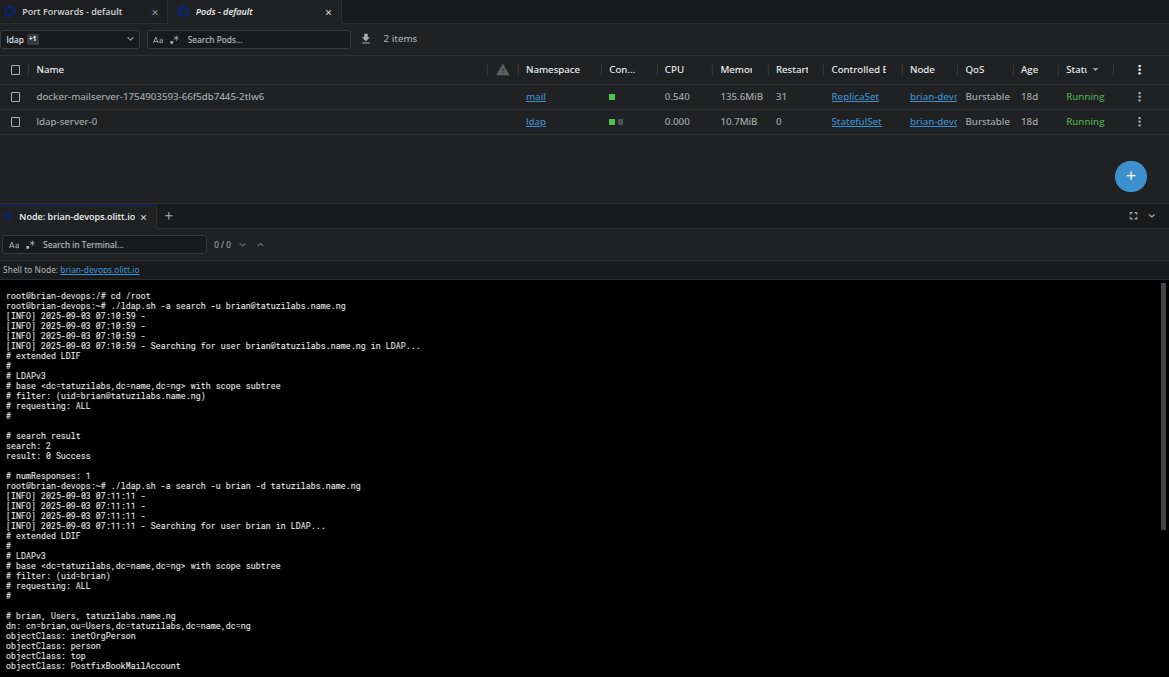
Ldap script
# Add a single user with password
./ldap_auto.sh -a add -u john -p mypassword123

# Add a user with auto-generated password
./ldap_auto.sh -a add -u jane

# Delete a user
./ldap_auto.sh -a delete -u john

# Bulk load users from file
./ldap_auto.sh -a load -f /path/to/accounts.cf

# Search for a user and save results
./ldap_auto.sh -a search -u john -o search_results.txt

# Run in silent mode
./ldap_auto.sh -a add -u user123 -m silent